
Several computers in tabs
Control several computers in the same window: the keyboard and clipboard follow the active tab.
Remote support for Windows
Winalco Remote shows the screen of a remote computer and lets you control its keyboard and mouse, exchange files and copy-paste from one computer to the other. All you need is the computer’s ID and password: our servers connect the two computers without ever seeing that password or the screen.
Features
The features presented here are those of the current version of the Winalco Remote application for Windows.
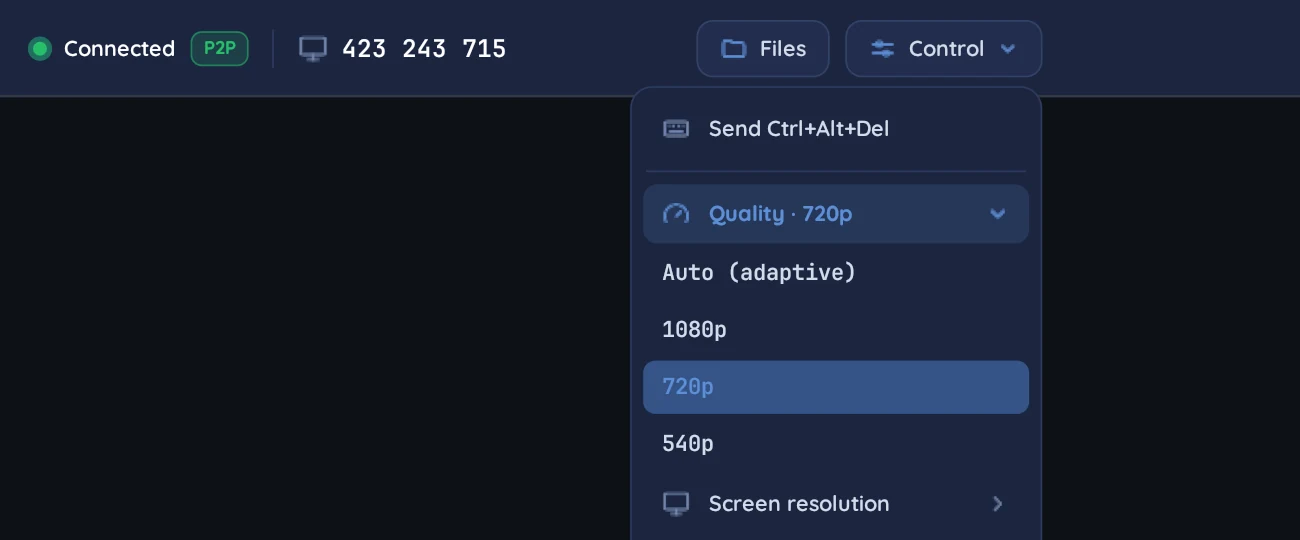
The screen is shown live in a dedicated window and you control the keyboard and mouse. Quality adapts automatically to the connection, or can be set to 1080p, 720p or 540p.
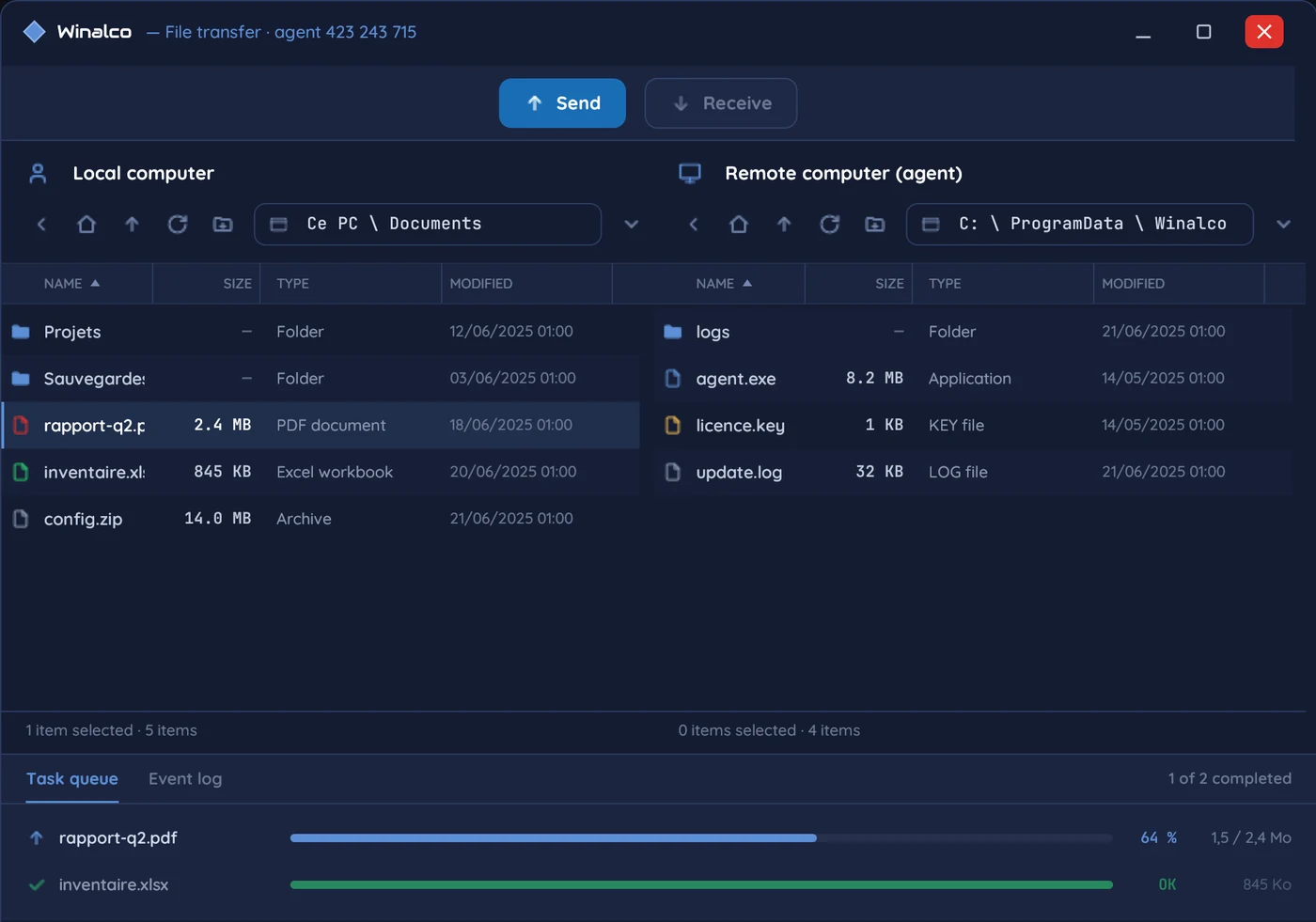
A two-pane window, local computer and remote computer: send, receive and follow the queue. Copy-paste also works between the two computers, for text as well as files.
Control several computers in the same window: the keyboard and clipboard follow the active tab.
For a server or a computer with nobody in front of it: a Windows service and a permanent password of at least 12 characters, including on the sign-in screen and after a restart.
By default, the person accepts or refuses each connection. Another possible setting: an 8-digit code renewed automatically. In every case, “Disconnect” ends the session.
Control from a browser, without installing anything on your computer, with your customer portal account.
Your plan, your invoices, your computers, ongoing sessions and your technicians’ invitations, all in one place.
Link your computers to your organisation to name them, find them and follow their activity. Linking uses no quota.
How it works
No server to install: Winalco takes care of connecting the computers.
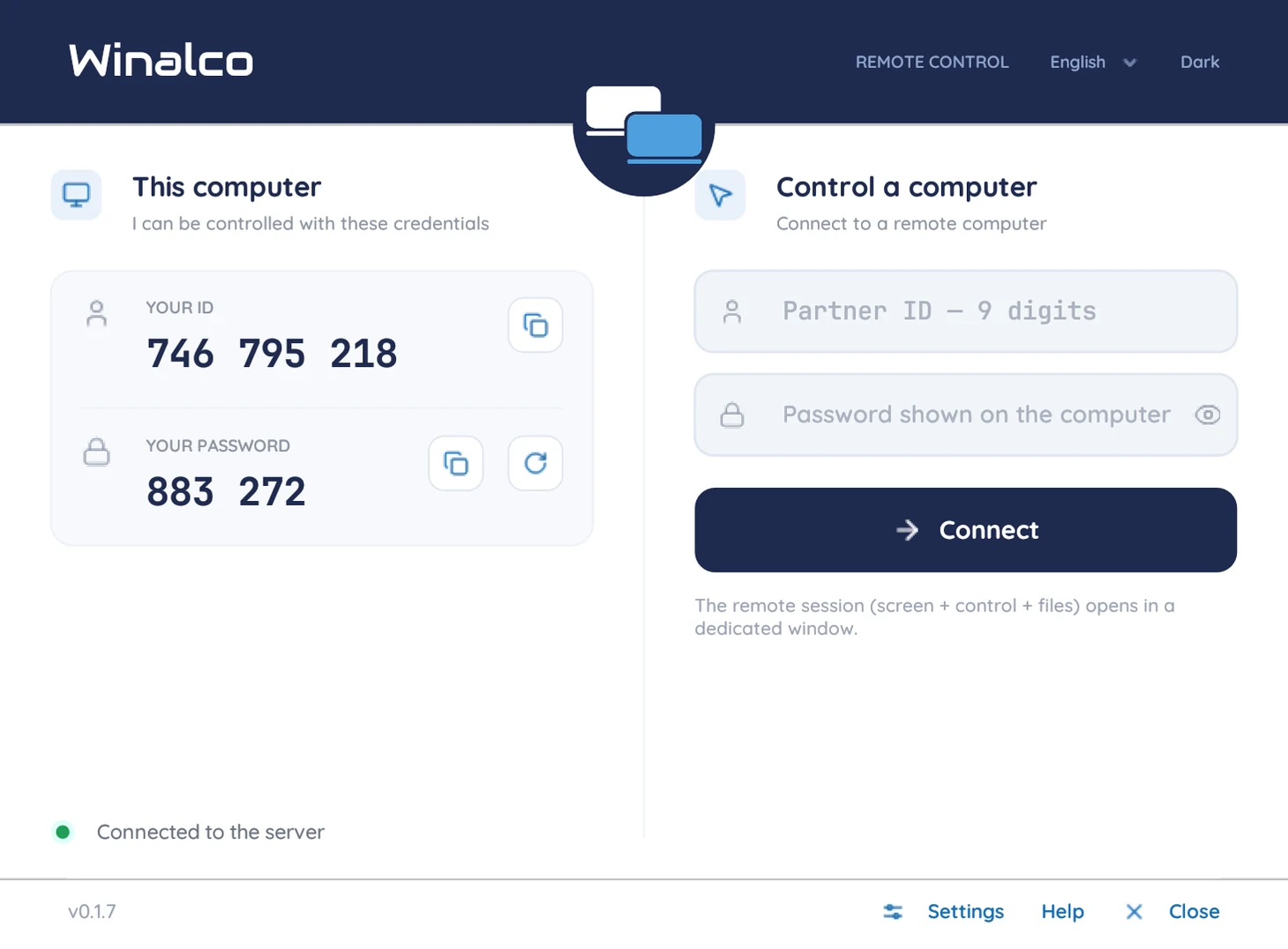
Under “Mon poste” (this computer), the application shows the computer’s 9-digit ID and its password.
In “Piloter un poste” (control a computer), from your own computer. Depending on the remote computer’s setting, the person accepts the connection with one click, or the code is enough.
The remote screen opens in a dedicated window: keyboard, mouse, files and copy-paste. On the computer, a “A controller is connected” banner lets the person end the session at any time.
Security
The Winalco Remote protocol treats its own servers as untrusted: even if compromised, they could not recover the password, see the screen or step in between the two computers.
Winalco server
Connects the computers. Sees neither the password, nor the screen, nor the files.
Downloads
Two Windows applications and a web controller. No server to install.
For technicians and managed computers
Control other computers and let yourself be controlled, from the same window. Unattended access is turned on from its settings.
For the person who needs help
A single file to run: it shows the computer’s ID and password so someone can help you, and cannot be used to control other computers.
To control without installing anything
Control a computer from your browser, with your customer portal account, from the free month onward.
A dedicated version of the application for computers still running Windows 7, with or without Service Pack 1, 32-bit or 64-bit. Same uses, with two exceptions that require Windows 8 or later: the privacy black screen and the virtual display for computers without a monitor.
Service Pack 1 is not required. Windows 7 has not received security updates since January 2020.
32-bit or 64-bit? Start menu, right-click “Computer”, Properties: the “System type” line.
Every application setting explained, with its default value and when to change it: access modes, start with Windows, video, network, troubleshooting.
We only publish digitally signed executables on this site. The computer being supported does not need an account.
Pricing
Start with 1 free month of the Essentiel plan, no credit card. After that, each plan is paid yearly; Pro and Business increase the number of controlled computers, technicians and computers open at the same time.
1 month free
DZD 19,000.00 excl. VAT / year
i.e. DZD 1,583.33 excl. VAT per month
i.e. DZD 22,610.00 incl. VAT (19% VAT)
The first month is free, no credit card
Recommended
DZD 39,000.00 excl. VAT / year
i.e. DZD 3,250.00 excl. VAT per month
i.e. DZD 46,410.00 incl. VAT (19% VAT)
DZD 89,000.00 excl. VAT / year
i.e. DZD 7,416.67 excl. VAT per month
i.e. DZD 105,910.00 incl. VAT (19% VAT)
Prices excluding VAT, in Algerian dinars. You subscribe from the customer portal, after creating your account.
The free month starts when the account is created. Subscribing during the offer loses nothing: the plan starts at the end of the free period. With no plan afterwards, your account remains usable for free with 1 computer, 1 technician and 1 open computer: nothing is deleted.
A plan change applies by default when the current plan’s term ends: nothing you have paid for is lost. Without payment at the end of the term, the plan’s rights stay active for 7 days, then revert to those of the free period if it is still running, otherwise to those of the free plan.
Need more technicians or computers open at the same time? Write to us.
You choose a plan: the amount excluding VAT, the VAT and the total are shown before any invoice.
Its terms are fixed, even if prices change later.
You pay by bank transfer, quoting the invoice number.
You upload the proof of transfer to the invoice, in the customer portal.
Winalco checks that the payment was received and activates the plan.
FAQ
On the computer to support, the Winalco Remote application or the QuickSupport module is enough. To control, use the application, or the web controller from a browser with your account. There is no server to install on your side.
The application runs on Windows 8.1, 10 and 11, 64-bit. For computers running Windows 7, with or without Service Pack 1, a dedicated version is listed under downloads. For any other system, write to us.
Yes. The two computers connect directly when the network allows it. Otherwise, the connection goes through a relay that carries the encrypted data without being able to read it.
The computer itself, according to the setting chosen in the application:
During a session, a “A controller is connected” banner and its “Disconnect” button let the person take back control.
Yes, with a permanent password and the Windows service installed from the application’s settings. The computer stays reachable, including on the sign-in screen and after a restart.
What is needed to connect the computers and apply your plan: computer IDs, IP addresses, signed-in accounts, start and end of sessions. Never the session password, the image, the input or the files exchanged, which stay end-to-end encrypted.
From the customer portal: choose the plan, an invoice is issued, pay it by bank transfer quoting its number, then upload the proof of payment to the invoice. The plan is activated as soon as the payment is confirmed.
You renew from the customer portal. Without payment, your plan’s rights stay active for 7 days after the end of the term, then revert to those of the free period if it is still running, otherwise to those of the free plan. You can also cancel at the end of the term.
One week before the end, then the day before, the customer portal and an e-mail warn you. To keep the same rights, subscribe to the Essentiel plan: it starts at the end of the free period. Without a plan, after 7 days of grace, your organisation moves to the free plan (1 computer, 1 technician, 1 open computer); your computers, your team and your invoices stay in place.
Yes, from the application: a computer can control up to 3 different computers during the month after its first control session, then 1 computer. Creating an account costs nothing and gives your organisation its own free month, the web controller and the customer portal. The computer being supported never needs an account.
Personal data
What we collect, why, and your rights — in accordance with Algerian Law No. 18-07, as amended, on the protection of personal data.
The data controller is Abdelouahab Bouchair, an individual who publishes and operates Winalco Remote under the trade name Winalco, 09 Rue Rekhaïf Ali, 19000 Sétif, Algeria. For any question about your data, or to exercise your rights, write to us using the contact form.
Our servers are hosted in Algeria. Only authorised Winalco staff can access your data. It is never sold or passed on, and is disclosed to an authority only when the law requires it. This site sets no cookies and uses no advertising or audience-measurement tools.
Account and device data: for as long as the account exists. Remote-control history: 12 months after each session ends, then it is deleted automatically. Third parties: for as long as your organisation keeps them. Invoices and payments: the legal retention period for accounting records. Test programme logs: 30 days. A message sent through the contact form is not stored on our servers; it is kept in our mailbox only for as long as it takes to handle your request.
For what is optional, and only there: taking part in the test programme, which the application offers at first launch. You can refuse — the application works exactly the same — and change your mind at any time in Settings. Each remote control of a device also requires the consent of the person in front of the screen, unless the device has been set up for unattended access by whoever manages it.
You can access your data, have it corrected (free of charge, within ten days), object to its processing on legitimate grounds, withdraw a consent you gave and ask for your account to be deleted. Write to us using the contact form. You may also refer the matter to Algeria’s National Authority for the Protection of Personal Data (ANPDP).
Contact
Before you start, about a plan or about using the software: our team replies by e-mail, to the address you give.
Ready to try? 1 month free when you sign up, no credit card.
Create an accountMessage sent
Thank you! We will reply to .